
Spaces:
Sleeping

Sleeping
File size: 3,837 Bytes
980dc8d |
1 2 3 4 5 6 7 8 9 10 11 12 13 14 15 16 17 18 19 20 21 22 23 24 25 26 27 28 29 30 31 32 33 34 35 36 37 38 39 40 41 42 43 44 45 46 47 48 49 50 51 52 53 54 55 56 57 58 59 60 61 62 63 64 65 66 67 68 69 70 71 72 73 74 75 76 |
---
title: "AI Terminal Tools: llm"
original_url: "https://tds.s-anand.net/#/llm?id=llm-cli-llm"
downloaded_at: "2025-06-08T23:25:09.715323"
---
[LLM CLI: llm](#/llm?id=llm-cli-llm)
------------------------------------
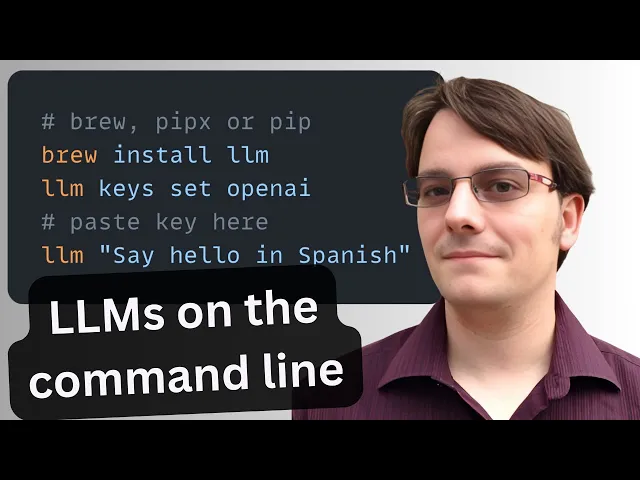
[`llm`](https://pypi.org/project/llm) is a command-line utility for interacting with large language models—simplifying prompts, managing models and plugins, logging every conversation, and extracting structured data for pipelines.
[](https://youtu.be/QUXQNi6jQ30?t=100)
### [Basic Usage](#/llm?id=basic-usage)
[Install llm](https://github.com/simonw/llm#installation). Then set up your [`OPENAI_API_KEY`](https://platform.openai.com/api-keys) environment variable. See [Getting started](https://github.com/simonw/llm?tab=readme-ov-file#getting-started).
**TDS Students**: See [Large Language Models](#/large-language-models) for instructions on how to get and use `OPENAI_API_KEY`.
```
# Run a simple prompt
llm 'five great names for a pet pelican'
# Continue a conversation
llm -c 'now do walruses'
# Start a memory-aware chat session
llm chat
# Specify a model
llm -m gpt-4.1-nano 'Summarize tomorrow’s meeting agenda'
# Extract JSON output
llm 'List the top 5 Python viz libraries with descriptions' \
--schema-multi 'name,description'Copy to clipboardErrorCopied
```
Or use llm without installation using [`uvx`](#/uv):
```
# Run llm via uvx without any prior installation
uvx llm 'Translate "Hello, world" into Japanese'
# Specify a model
uvx llm -m gpt-4.1-nano 'Draft a 200-word blog post on data ethics'
# Use structured JSON output
uvx llm 'List the top 5 programming languages in 2025 with their release years' \
--schema-multi 'rank,language,release_year'Copy to clipboardErrorCopied
```
### [Key Features](#/llm?id=key-features)
* **Interactive prompts**: `llm '…'` — Fast shell access to any LLM.
* **Conversational flow**: `-c '…'` — Continue context across prompts.
* **Model switching**: `-m MODEL` — Use OpenAI, Anthropic, local models, and more.
* **Structured output**: `llm json` — Produce JSON for automation.
* **Logging & history**: `llm logs path` — Persist every prompt/response in SQLite.
* **Web UI**: `datasette "$(llm logs path)"` — Browse your entire history with Datasette.
* **Persistent chat**: `llm chat` — Keep the model in memory across multiple interactions.
* **Plugin ecosystem**: `llm install PLUGIN` — Add support for new models, data sources, or workflows. ([Language models on the command-line - Simon Willison’s Weblog](https://simonwillison.net/2024/Jun/17/cli-language-models/?utm_source=chatgpt.com))
### [Practical Uses](#/llm?id=practical-uses)
* **Automated coding**. Generate code scaffolding, review helpers, or utilities on demand. For example, after running`llm install llm-cmd`, run `llm cmd 'Undo the last git commit'`. Inspired by [Simon’s post on using LLMs for rapid tool building](https://simonwillison.net/2025/Mar/11/using-llms-for-code/).
* **Transcript processing**. Summarize YouTube or podcast transcripts using Gemini. See [Putting Gemini 2.5 Pro through its paces](https://www.macstories.net/mac/llm-youtube-transcripts-with-claude-and-gemini-in-shortcuts/).
* **Commit messages**. Turn diffs into descriptive commit messages, e.g. `git diff | llm 'Write a concise git commit message explaining these changes'`. \
* **Data extraction**. Convert free-text into structured JSON for automation. [Structured data extraction from unstructured content using LLM schemas](https://simonwillison.net/2025/Feb/28/llm-schemas/).
[Previous
Terminal: Bash](#/bash)
[Next
Spreadsheet: Excel, Google Sheets](#/spreadsheets) |