
Spaces:
Sleeping

Sleeping
File size: 1,397 Bytes
980dc8d |
1 2 3 4 5 6 7 8 9 10 11 12 13 14 15 16 17 18 19 20 21 22 23 24 25 26 27 28 29 30 |
---
title: "Data Cleansing in Excel"
original_url: "https://tds.s-anand.net/#/data-cleansing-in-excel?id=data-cleansing-in-excel"
downloaded_at: "2025-06-08T23:27:03.007571"
---
[Data Cleansing in Excel](#/data-cleansing-in-excel?id=data-cleansing-in-excel)
-------------------------------------------------------------------------------
[](https://youtu.be/7du7xkqeu4s)
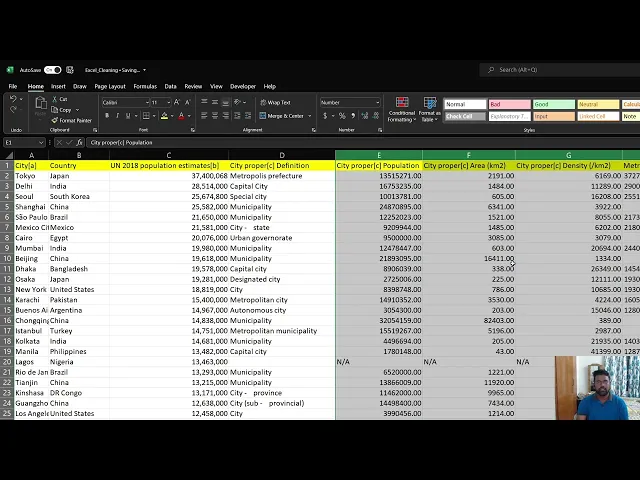
You’ll learn basic but essential data cleaning techniques in Excel, covering:
* **Find and Replace**: Use Ctrl+H to replace or remove specific terms (e.g., removing “[more]” from country names).
* **Changing Data Formats**: Convert columns from general to numerical format.
* **Removing Extra Spaces**: Use the TRIM function to clean up unnecessary spaces in text.
* **Identifying and Removing Blank Cells**: Highlight and delete entire rows with blank cells using the “Go To Special” function.
* **Removing Duplicates**: Use the “Remove Duplicates” feature to eliminate duplicate entries, demonstrated with country names.
Here are links used in the video:
* [List of Largest Cities Excel file](https://docs.google.com/spreadsheets/d/1jl8tHGoxmIba4J78aJVfT9jtZv7lfCbV/view)
[Previous
5. Data Preparation](#/data-preparation)
[Next
Data Transformation in Excel](#/data-transformation-in-excel) |