
Spaces:
Sleeping

Sleeping
metadata
title: 'AI Terminal Tools: llm'
original_url: https://tds.s-anand.net/#/llm?id=llm-cli-llm
downloaded_at: '2025-06-08T23:25:09.715323'
LLM CLI: llm
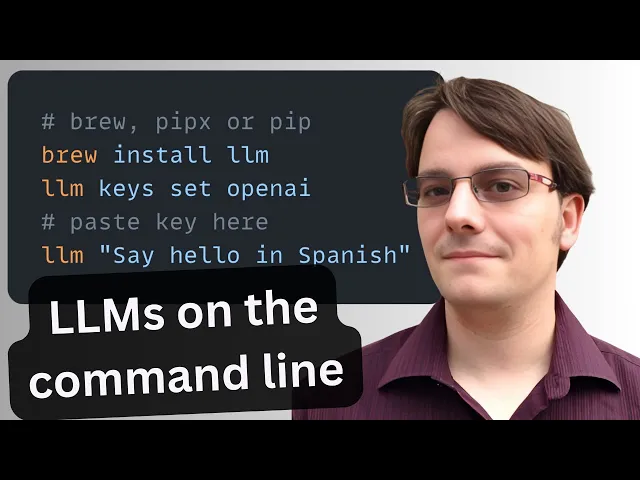
llm is a command-line utility for interacting with large language models—simplifying prompts, managing models and plugins, logging every conversation, and extracting structured data for pipelines.
Basic Usage
Install llm. Then set up your OPENAI_API_KEY environment variable. See Getting started.
TDS Students: See Large Language Models for instructions on how to get and use OPENAI_API_KEY.
# Run a simple prompt
llm 'five great names for a pet pelican'

# Continue a conversation
llm -c 'now do walruses'

# Start a memory-aware chat session
llm chat

# Specify a model
llm -m gpt-4.1-nano 'Summarize tomorrow’s meeting agenda'

# Extract JSON output
llm 'List the top 5 Python viz libraries with descriptions' \
  --schema-multi 'name,description'Copy to clipboardErrorCopied
Or use llm without installation using uvx:
# Run llm via uvx without any prior installation
uvx llm 'Translate "Hello, world" into Japanese'

# Specify a model
uvx llm -m gpt-4.1-nano 'Draft a 200-word blog post on data ethics'

# Use structured JSON output
uvx llm 'List the top 5 programming languages in 2025 with their release years' \
  --schema-multi 'rank,language,release_year'Copy to clipboardErrorCopied
Key Features
- Interactive prompts:
llm '…'— Fast shell access to any LLM. - Conversational flow:
-c '…'— Continue context across prompts. - Model switching:
-m MODEL— Use OpenAI, Anthropic, local models, and more. - Structured output:
llm json— Produce JSON for automation. - Logging & history:
llm logs path— Persist every prompt/response in SQLite. - Web UI:
datasette "$(llm logs path)"— Browse your entire history with Datasette. - Persistent chat:
llm chat— Keep the model in memory across multiple interactions. - Plugin ecosystem:
llm install PLUGIN— Add support for new models, data sources, or workflows. (Language models on the command-line - Simon Willison’s Weblog)
Practical Uses
- Automated coding. Generate code scaffolding, review helpers, or utilities on demand. For example, after running
llm install llm-cmd, runllm cmd 'Undo the last git commit'. Inspired by Simon’s post on using LLMs for rapid tool building. - Transcript processing. Summarize YouTube or podcast transcripts using Gemini. See Putting Gemini 2.5 Pro through its paces.
- Commit messages. Turn diffs into descriptive commit messages, e.g.
git diff | llm 'Write a concise git commit message explaining these changes'. \ - Data extraction. Convert free-text into structured JSON for automation. Structured data extraction from unstructured content using LLM schemas.
[Previous
Terminal: Bash](#/bash)
[Next
Spreadsheet: Excel, Google Sheets](#/spreadsheets)